
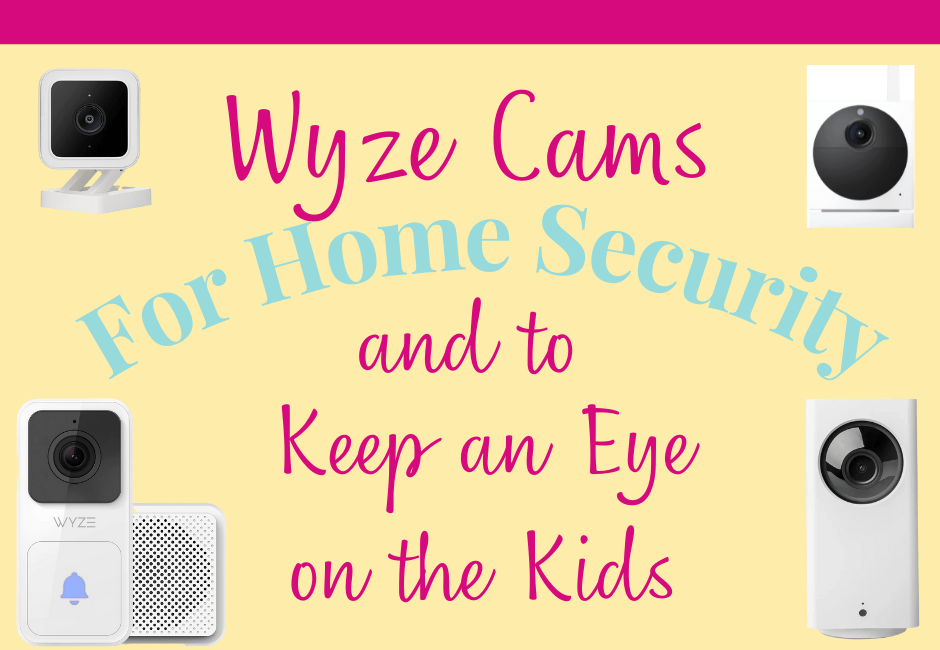
Wyze Cams are an inexpensive and easy solution to keep an eye on what’s going on in, and around, the house. We got our first Wyze Cams from my parents for Christmas a few years ago. At first, we weren’t sure where to put them but now we’re to the point we’ve asked for even more.
The even cooler thing, is they’re a start-up company so by buying their products, you’re supporting a relatively small company with actual people! Over the past few years since we’ve had their cameras and have been getting their emails, they’ve developed so many new products and have continued to improve upon their original products.
Note: As an Amazon Affiliate I earn from qualifying purchases made through affiliate links, at no extra cost to you. Read my full disclosure for more information.
Wyze Cam Pan
The Wyze Pan Cam is our favorite, we have 3 of them so far. They call it a pan because it can pan the room using the app so you can see around the room. You also can also adjust the camera vertically by using the app. The camera detects sound and movement, when you want it to, and will record when it detects these things.
If you have an optional MicroSD card, it can record at all times so you can look back, even when sound or movement hasn’t been detected. As you can see below, it has a pretty wide angle so I can see from wall to wall almost of my front room.
**The camera I have photos of below is no longer available. Below is the updated version**


We have one in the front room of our house, which you can see above. On the left is a picture of the actual Wyze Pan Cam and on the right is what I can see through the camera via my phone. Currently, this room is also referred to as our preschool room, hence the little table and posters on the walls.
It is great to have a camera here to keep an eye on the kids when they’re playing and I’m in the other room doing something such as making lunch. It’s also great to have one in this room because as you can see, it covers our front door and front window so if someone were to break in we’d have some video of it. We’d also be alerted on our phones if it were overnight because we have our phones set up to alert us of any movement overnight.


As you can see above, we also have one above our kitchen cabinets where we can see the kitchen, dining area, and living room. This is great for keeping an eye on the kids if I’m on the toilet. Seriously, sometimes mama has to poop and they start screaming and though I’m nearby it’s not like I can just jump up and see what’s going on. I’m able to call out to them from the Wyze cam or just by raising my voice and I can tell them I know exactly what’s going on.
I also have used video from this camera to go back and capture really funny or really cute moments that otherwise would have been missed.
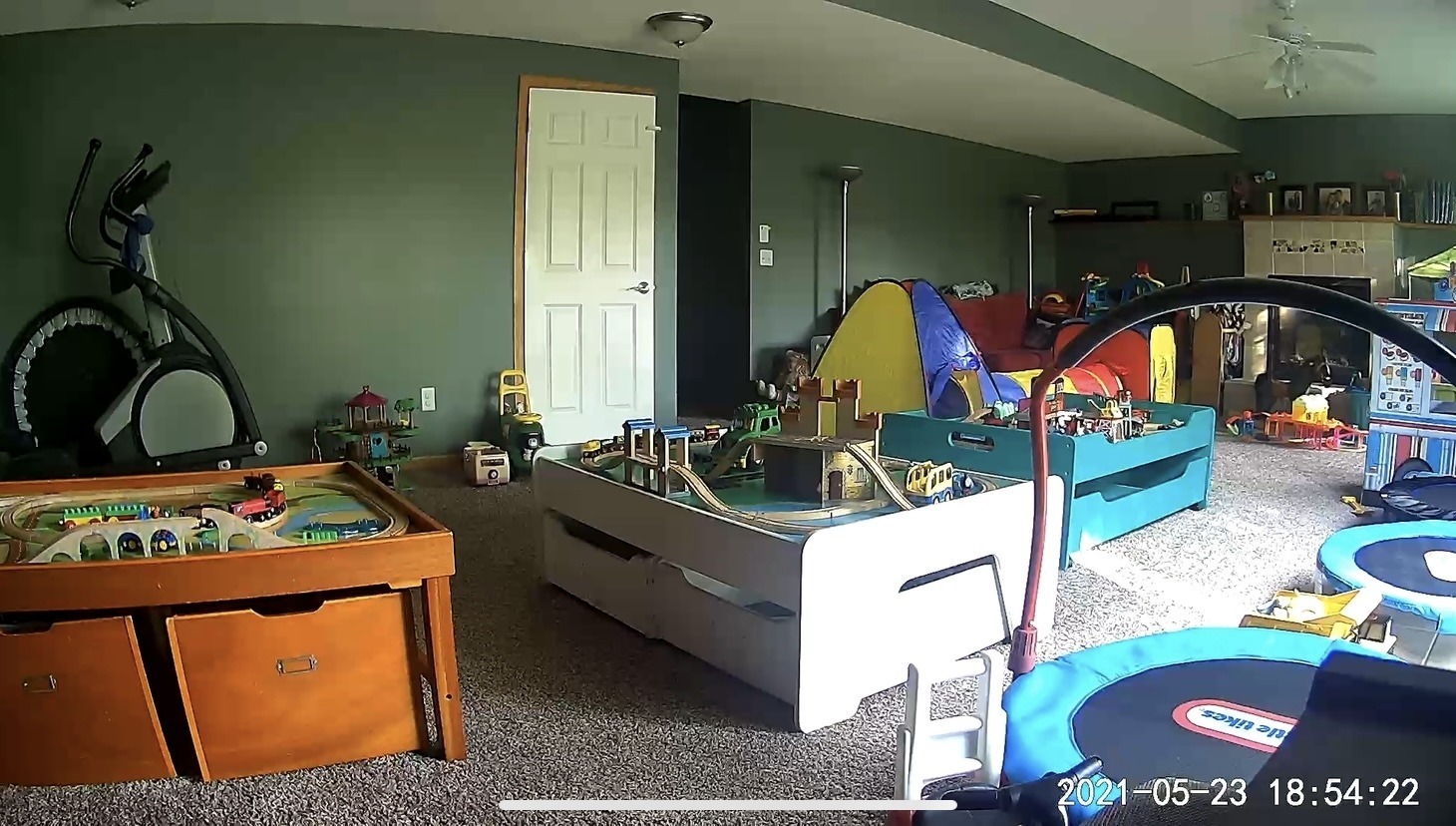
Our third one is in the basement, a still frame of it is above, so we can keep an eye on the door down there if anyone were to break-in, which is unlikely around here but who knows. We are also able to keep tabs on the kids when they’re down there alone for a bit while we prep a meal or go grab something quick. Now that are twins are almost 3 and our eldest is almost 5, we can trust them downstairs alone for a bit when one or two of them want to stay down there and another one wants to be on the main floor. This way we can still keep an eye on them if only one parent is around at the time. This one also will alert us overnight if there is any movement, as there shouldn’t be under normal circumstances.
With our Wyze Cams we can see what’s going on with a very clear image and hear what they’re saying. We have ours set to alert us when there is sound or movement after we’ve gone to bed. We also refer back to the video that is always recording on the SD card sometimes to solve disagreements between the kids regarding who had which toy first or, more frequently, to go back and record something cute or funny that happened.
Wyze Cam
The Wyze Cam we have below is not exactly this one as it’s been updated since we purchased ours but it’s now even better!
We have the cam pictured below facing out our front window. As you can see from the still frame from what it sees, we have a clear shot of the front door and also the kids’ picnic table with some almonds on it for the chipmunks. Haha!


We also have a microSD card in this camera so we can go back and view playback. Recently I viewed the playback video to grab a screenshot of the first hummingbird to come to my new hummingbird feeder. I had actually seen it happening as I looked out the window but didn’t have my phone with me and wanted to take a picture so I used the one from the Wyze cam.
A couple of weeks ago I went back and recorded something hilarious! We were having our old fridge recycled and the company came to pick it up. Once they figured out how to get it out the door (it was a massive fridge, I was pretty sure the house was built around it) one man was in charge of taking it down to the truck on the dolly while the other finished up inside the house. On the video you can see that the one man was trying to get the dolly and fridge up the ramp into the truck and all the sudden VROOMP the whole fridge fell over. There was a bush in the way so we couldn’t see the whole thing happen but first we can see the fridge above the bush and then all the sudden it’s gone and there is an audible VROOMP. Haha! Thank goodness it was just to be recycled and not the new one we had ordered. Anyway, with the Wyze cam I was able to go back and record this to my phone so I can look back and laugh at it in the future. By the way, no one was hurt and the guy was laughing too after his co-worker came out right after it happened and was like “what the heck happened?!” haha! Good times.
Wyze Contact Sensors
We also have Wyze Cam Sensors on all of our doors to the outside so we are alerted when they open. This is great from a home security standpoint, but also with having little children. This way if anyone is able to unlock and open the door, we know about it right away if we aren’t with them at the moment so we can run toward the door and stop them from leaving. Luckily this hasn’t happened besides our eldest opening the door to go into the garage to grab something, but who knows.
The Wyze Cam Sensors also require a bridge that plugs into a Wyze cam and a motion detector that can be put anywhere. Below is a picture of the bridge that we have hooked into one of our Wyze Pan Cams. The picture on the right is the sensor that is on our door that goes into our garage. Our phone is alerted whenever a door opens. Of course, we can also turn that off or make it so we’re only alerted overnight if a door opens.
** These are no longer available, now you need to have a whole system to make them work. I’ll link below. The downside now is that a subscription is required.


Optional SD Card
We’ve found it’s great to have an SD card in the cameras so they can record and we can watch back as needed.
You can really use any SD card that will fit or go with their Wyze brand SD card, that isn’t sold individually anymore, but some of their cameras come with one, as shown below.


A Quick Aside…
I feel like I’m making it seem like we’re never in the same room as our children, which isn’t true. Generally, I’m in the same room with my children, but there are three of them and sometimes I need to be consoling one in one room because he tripped and something is happening in the other room that I need to keep an eye on. Or I have to go to the bathroom or make lunch, or any other little thing that takes me away from them for a minute. Generally, though, I am with them.
Video Doorbell
The Wyze Video Doorbell is much less expensive than the Ring version and doesn’t require a subscription. You can always buy a subscription if you want extra features but we use it just fine without a subscription.
It’s easy to install and you can see what’s going on at your front door from your phone.

Wyze App
Here are a couple of photos of the Wyze App. It can be as simple or as complex as you’d like it to be.
On the left, you can see our four cameras, a still frame of the camera (including night vision on some), and see that they are powered on and working. Below that you can see the beginning of the list of our sensors which would go onto a second page, including the motion sensor.
On the right, you can see what it looks like when I click on one of the cameras, I can turn the sound on or off, speak into the camera, record, take a photo, view playback since I have a MicroSD card in and a “more” button.


Quick Note about WiFi Cameras
We decided not to have WiFi cameras in our kids’ bedrooms as baby monitors because of the bad press that was around them when we started having kids in 2016. I remember seeing an episode of a TV show where some stranger had hacked into the camera and was talking to the child through it. I realize it was a TV show but I feel like something had happened along those lines in real life too. Obviously not with a Wyze cam but just a WiFi camera in general. For that reason, and others, we don’t have them in our kid’s rooms but we do obviously have them in many other rooms in our house and feel safe with them.
Honestly though, I’m sure they’d be just fine as baby monitors if one would want to use them as such. If I could go back and do things differently, I probably would have used these as it’s much nicer to be able to access it from anywhere AND just need one device. As it is right now, we have a baby monitor camera in all 3 of our kids’ rooms which means two monitors to keep track of (luckily two of the cameras work together on one monitor). Plus, since they aren’t WiFi it’s not like we can go far in the backyard with the monitor without losing signal. That’s where a WiFi camera would be much better.
The Wyze cams record for 12 seconds when they detect something such as noise or a movement while they’re set to record. We have ours record movement and save it to the “Events” section of the app and alert us only overnight. There is an upgrade in service that you can have your cam record for longer than 12 seconds, we just haven’t opted to do that.
Our cams that we have installed MicroSD cards in are recording at all times but only to that card, not to the cloud or anything of the sort. I believe that the recording stays on the SD card for two weeks then is recorded over. Generally, we don’t look at this footage unless we need to settle a dispute between children as to who had which toy first, or if we want to go back and record something cute or funny.

As a mom of identical twins and a son two years older, I have gained invaluable experience in the realm, and chaos, of parenting. With a Master's Degree and Education Specialist Degree in School Psychology, I spent years as a school psychologist, helping children navigate through their educational and emotional challenges. Now as a stay at home mom and professional blogger, I combine my areas of expertise to help you in your parenting journey.